WarpedVectorv0.0.47
2D space fighter game with infinite space, neural network AI, multiple scenarios, locking/seeking weapons, and explosions.
Warped Vector is a 2D, infinite-space, flight game engine written in modern C# (.NET 10) and rendered with DirectX - shipped together with a comprehensive game and assets editor.
It features endless scrolling space, scriptable state-machine "AI", scenario/campaign progression, single and multiplayer, locking and seeking weapons, a speed-scaled camera, deployable turrets and drones, dozens of weapons, and fiery explosions (also plasmsa, acid, etc..)
Warped Vector is a long running project that I've rewritten several times across different languages and technologies, finally landing on .NET 10 and C#. The architecture has stabilized into a a small, embeddable engine driven entirely by assets, plus a full editor for authoring. Creating a game from scratch is as simple as referencing the Warped Vector NuGet packages, pointing the engine at an asset package, and editing that package with the bundled Asset Explorer.
Alpha gameplay on YouTube: https://youtu.be/uxRjQ9BHlek
Editor
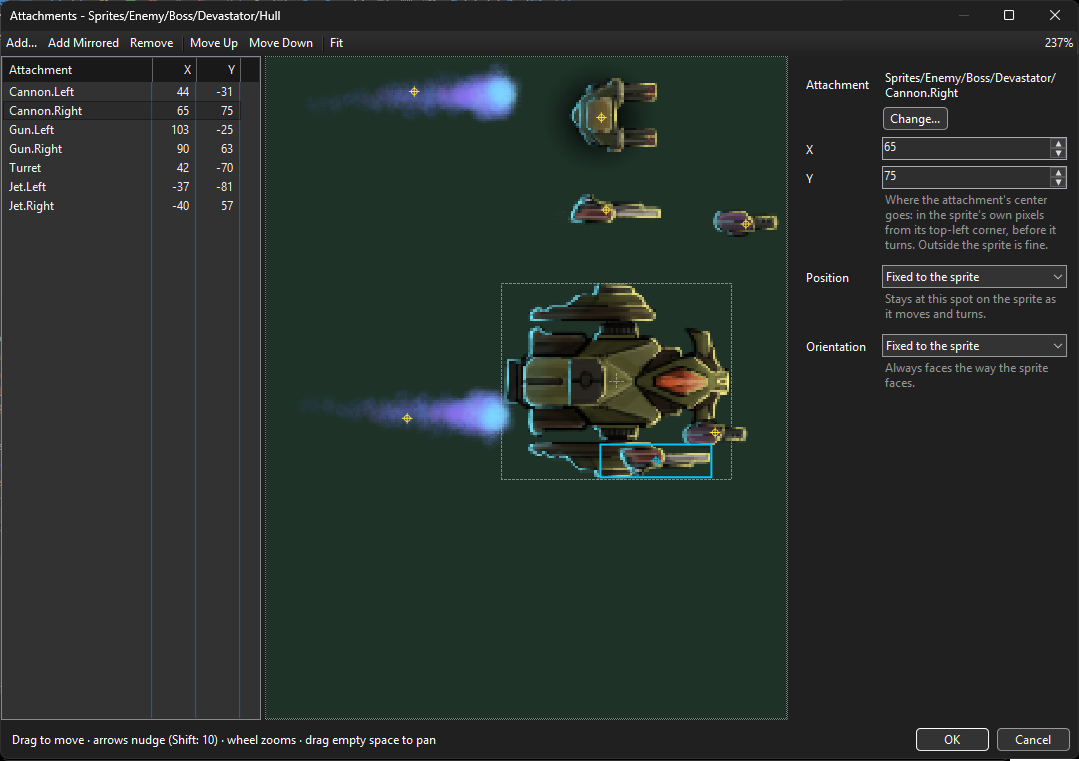
Attachments
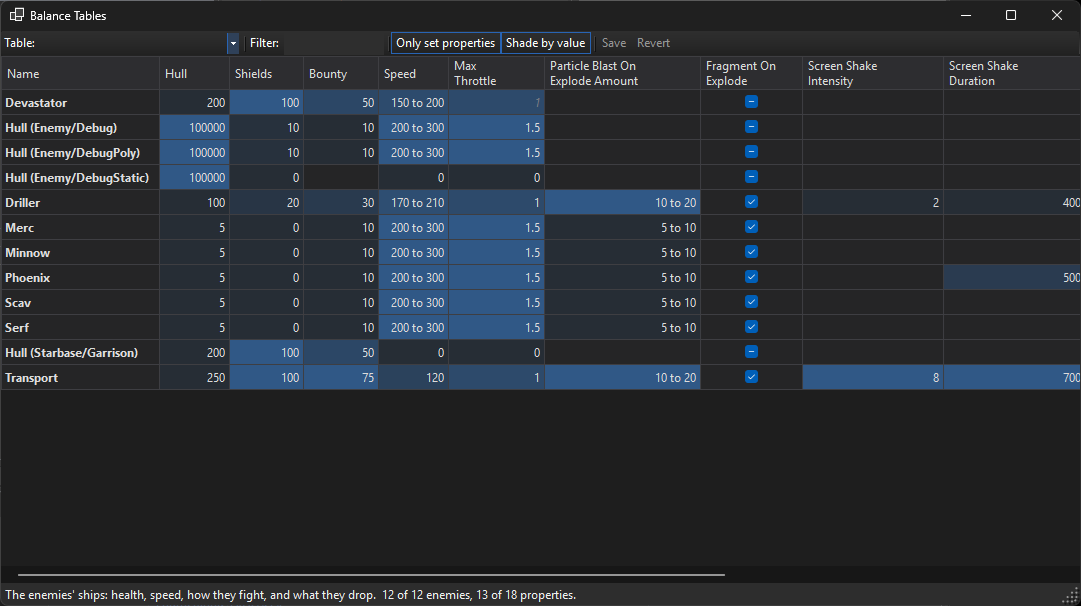
Balance Tables
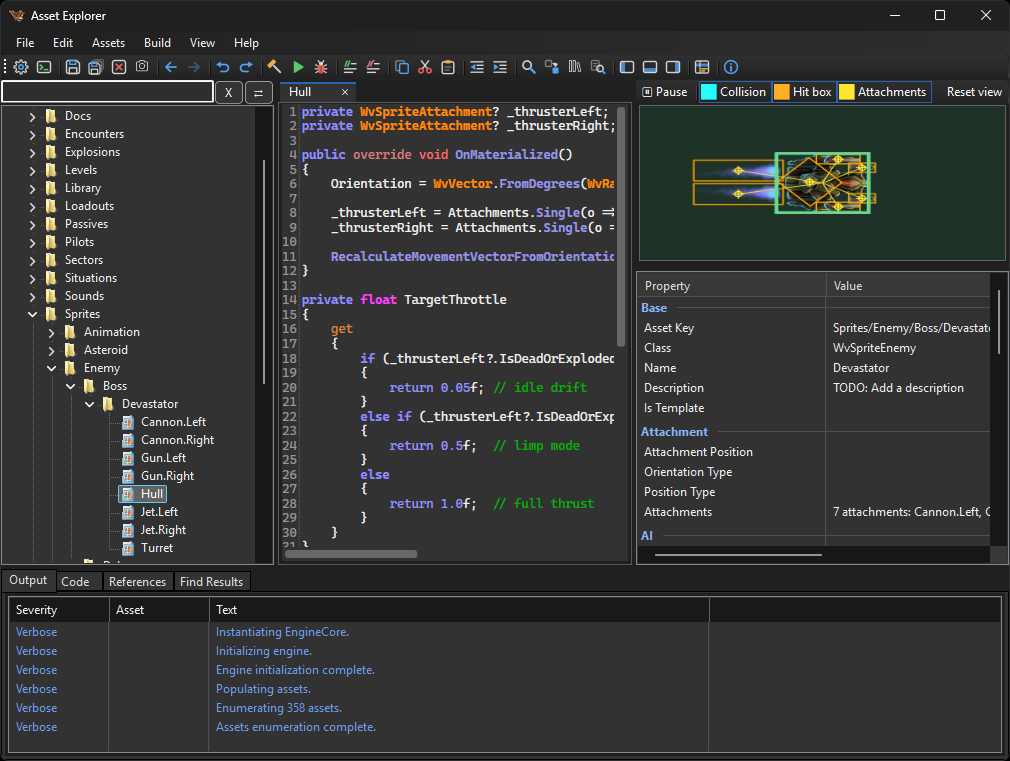
Highlights
- Asset-driven engine. Ships, weapons, munitions, levels, sectors, encounters, pilots, abilities, sounds and the game's whole environment are all assets. Game logic lives in asset code that the engine compiles and runs - no engine rebuild required to change the game.
- Everything is editable. The Asset Explorer edits sprites, sounds (WAV and OGG), C# behavior, metadata and balance tables, with a live preview of the sprite you're editing. Assets can be imported and exported, so you can also edit them with your favorite external tools.
- A real code editor. The editor is Roslyn-powered: full auto-complete, live error/diagnostic/static-analysis, hover and signature help, go-to-definition, find-references, and
#regioncode folding - analyzing your asset code exactly the way the engine compiles it. - Debug the whole game in Visual Studio. One click extracts the project to a Visual Studio solution (
.slnx) and launches it, so you can run the real game with breakpoints and real-time feedback on your asset code, then merge your changes back in. - Single- and multi-player. Host authoritative networking with client-side prediction, so you can run the same game solo or online.
- Mouse-aim or keyboard flight, a configurable HUD and radar, penetrating/seeking/locking munitions, pilot actives and passives abilities, and a speed scaled camera that zooms out as you accelerate (thanks HellFighter32).
Assets live in a single package
A game is a SQLite asset package - Wv.Assets.db - built from a folder of source files by Wv.AssetPacker.
Every asset has a class (its behavior type) and metadata (editor visible and tunable properties).
The core asset classes include:
| Area | Classes |
|---|---|
| World | WvEnvironment, WvSituation, WvLevel, WvWaveLevel, WvSector, WvEncounter |
| Sprites | WvSpritePlayer, WvSpriteEnemy, WvSpriteDeployable, WvSpriteMunition, WvSpriteBeamMunition |
| Weapons | WvWeapon, WvBeamWeapon, WvDeployableWeapon |
| AI | WvAIStateMachine |
| Loadouts | WvPilot, WvPilotActive, WvPilotPassive |
| Media/util | WvAudioClip, WvSpriteStar, WvExplosionStyle, WvGlobalClass |
Asset code is just C#
An asset's behavior is a self-authored partial class that you write in the editor. At runtime the engine generates the other half of that partial - the base class, its constructor and the right interface - and compiles the two together with Roslyn. You write ordinary C# against the engine's API; the engine handles the wiring. WvGlobalClass assets are shared helpers any other asset can use.
From editor to debugger and back
The Asset Explorer can extract your project into a self-contained Visual Studio solution, where your asset code is compiled into the project and the engine attaches to it. You can use breakpoints and step-through debugging against the real game, and any edits you make can be re-ingested back into the asset package.
Use the engine as a library
Reference the NuGet packages and point an engine at an asset package:
dotnet add package NTDLS.Wv.Engine
dotnet add package NTDLS.Wv.Interrogation
Then host a WvEngine on a WinForms control, give it your Wv.Assets.db, and start it. The simplest way to see this wired up end-to-end is to use the Asset Explorer's debug extraction, which generates a complete, runnable host project for you.
Editing assets with the Asset Explorer
Open Wv.AssetExplorer, open your asset package, and edit sprites, sounds, code and metadata. Use Build All to compile every script, and the Debug button to run the whole game in Visual Studio.
Run the editor (Wv.AssetExplorer) to author content, or the game (Wv.Client) to play.
Requirements
- Windows.
- .NET 10 SDK.
- Visual Studio 17.12+
License
MIT.