NTDLS.Permafrostv2.2.0
The NetworkDLS original symmetric cipher algorithm ported to C#.
Permafrost is a lightweight symmetric encryption library for .NET, derived from NASCCL (the NetworkDLS Algorithmic Symmetric Cipher Cryptography Library). It exposes two simple entry points: PermafrostCipher for encrypting and decrypting in-memory byte arrays and strings, and PermafrostStream, a standard System.IO.Stream that transparently encrypts or decrypts everything you read through or write to it. Both support string or byte-array keys, an optional seed, and two operating modes: AutoReset (each call starts fresh, so encryption and decryption order does not matter) and Continuous (stateful, where each call depends on the one before it — suitable for streaming data).
📦 Be sure to check out the NuGet package: https://www.nuget.org/packages/NTDLS.Permafrost
When to use this package
- You want a fast, dependency-free way to obfuscate or protect small pieces of data in memory (strings, buffers, config values) without pulling in a heavyweight cryptography stack.
- You need to encrypt or decrypt a file, network stream, or any other
Streamon the fly by wrapping it in aPermafrostStream. Because it is a plainStream, it composes with anything else in the pipeline — for example, chain it withGZipStreamto both compress and encrypt files. - You prefer a simple, key-based API (
new PermafrostCipher("myKey")) over building and managingSymmetricAlgorithmobjects yourself. - You are working within the NASCCL ecosystem and want its cipher available as a maintained, multi-targeted NuGet package (net8.0 / net9.0 / net10.0).
Usage examples
Encrypt and decrypt a string
using NTDLS.Permafrost;

// AutoReset mode: the key state resets after every call,
// so you can encrypt and decrypt in any order.
using var permafrost = new PermafrostCipher("ThisIsTheP@$$w0Rd!", PermafrostMode.AutoReset);

// Encrypt a UTF-8 string into ciphertext bytes.
byte[] cipherBytes = permafrost.Cipher("This is some text that I would like to keep safe.");

// Decrypt the ciphertext back into a readable string.
string decipheredText = permafrost.DecryptString(cipherBytes);
Encrypt and decrypt byte arrays in place
using NTDLS.Permafrost;

// Continuous mode: each call depends on the previous one,
// which is what you want for sequential/streaming data.
using var permafrost = new PermafrostCipher("ThisIsTheP@$$w0Rd!"); // defaults to Continuous

byte[] data = [ 0x01, 0x02, 0x03, 0x04, 0x05 ];

// XOR the buffer with the rolling key stream, mutating it in place.
permafrost.CipherInPlace(data);   // encrypt
permafrost.CipherInPlace(data);   // decrypt (same operation applied again)
Stream a file through encryption (with compression chaining)
using System.IO.Compression;
using NTDLS.Permafrost;

public static void EncryptAndCompressFile(string inputPath, string outputPath)
{
    byte[] buffer = new byte[8192];

    using var input = File.OpenRead(inputPath);
    using var output = File.Create(outputPath);

    // Wrap the output stream so everything written to it is encrypted,
    // then wrap that with GZipStream so the data is also compressed.
    using var permafrost = new PermafrostStream(output, "ThisIsTheP@$$w0Rd!");
    using var gzip = new GZipStream(permafrost, CompressionLevel.SmallestSize);

    int bytesRead;
    while ((bytesRead = input.Read(buffer, 0, buffer.Length)) > 0)
        gzip.Write(buffer, 0, bytesRead);
}

public static void DecryptAndDecompressFile(string inputPath, string outputPath)
{
    byte[] buffer = new byte[8192];

    // On the way back, decompress first and then decrypt,
    // mirroring the order used when writing.
    using var input = File.OpenRead(inputPath);
    using var permafrost = new PermafrostStream(input, "ThisIsTheP@$$w0Rd!");
    using var gzip = new GZipStream(permafrost, CompressionMode.Decompress);
    using var output = File.Create(outputPath);

    int bytesRead;
    while ((bytesRead = gzip.Read(buffer, 0, buffer.Length)) > 0)
        output.Write(buffer, 0, bytesRead);
}
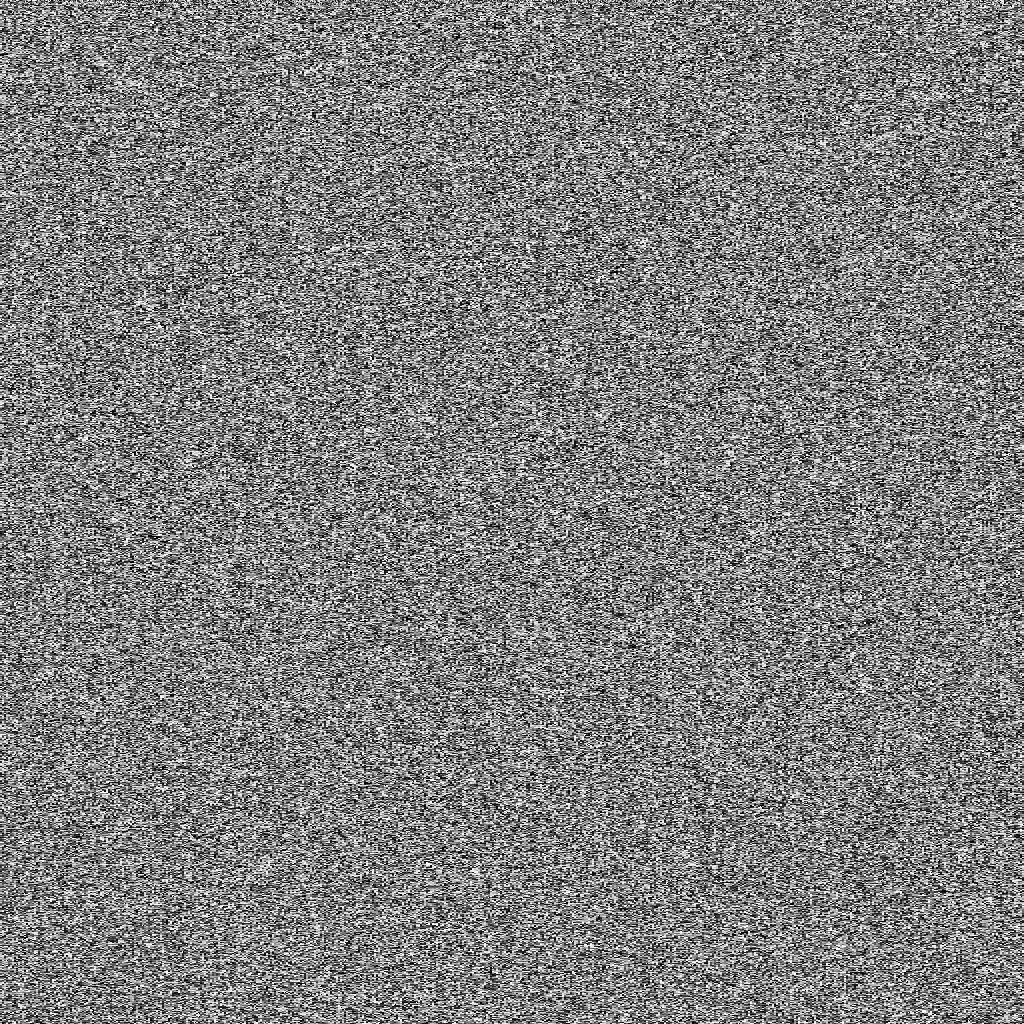
Visulation of 1MB NULL values.